
NESTWORKS

NESTSTUDIO

Where Great Creations Come to Life!

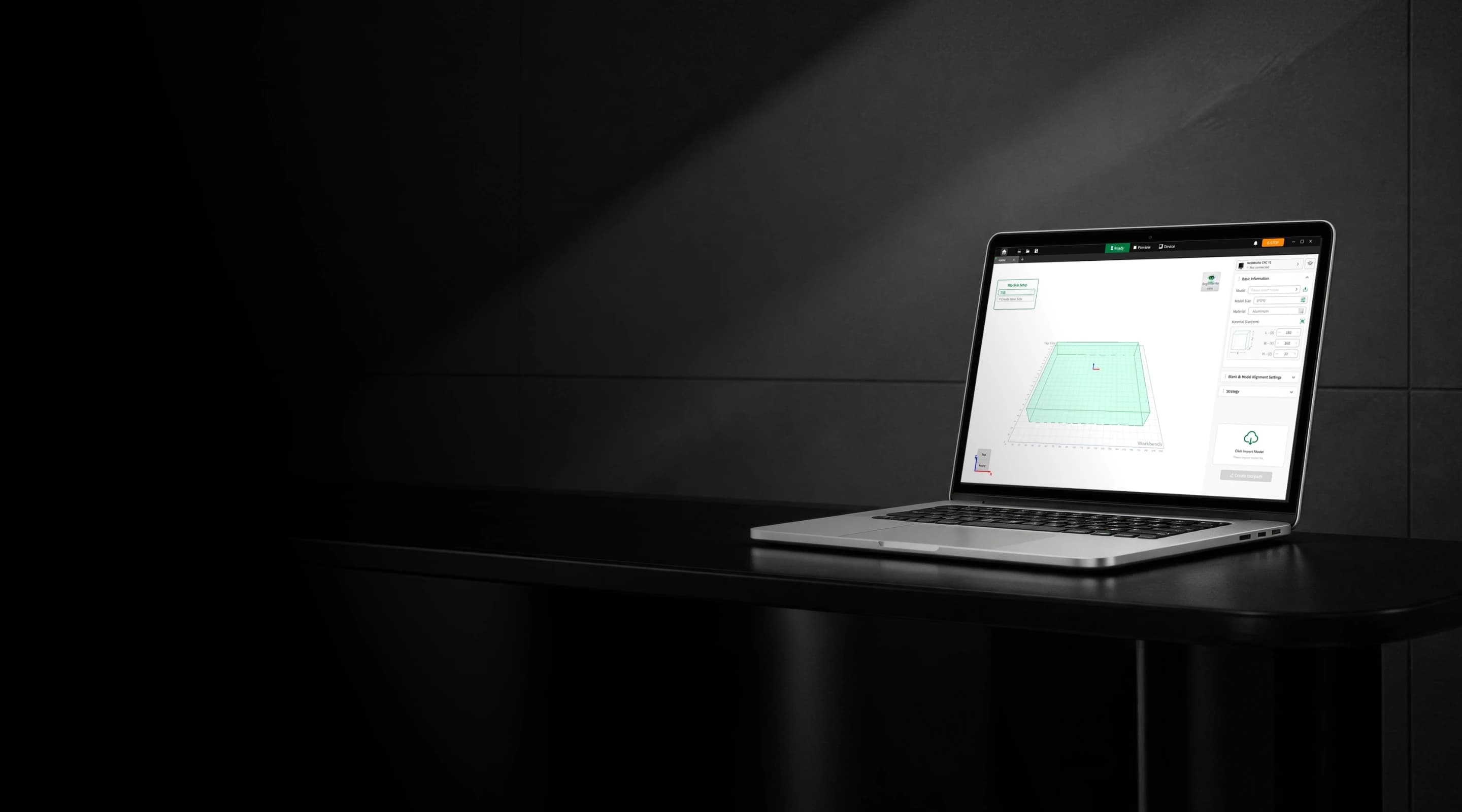
Nest Studio is a CAM software developed by NestWorks. Tailored for NestWorks devices, it streamlines CNC strategies and optimizes workflows, helping you turn designs into physical objects efficiently. Download Nest Studio now and start your DIY creation journey!

Windows 10 (64-bit) or later

MacOS 10.15 or later

Multi-function Introduction

We have kept iterating on the CAM software to make the entire journey from design to finished part simpler, smarter, and more reliable.

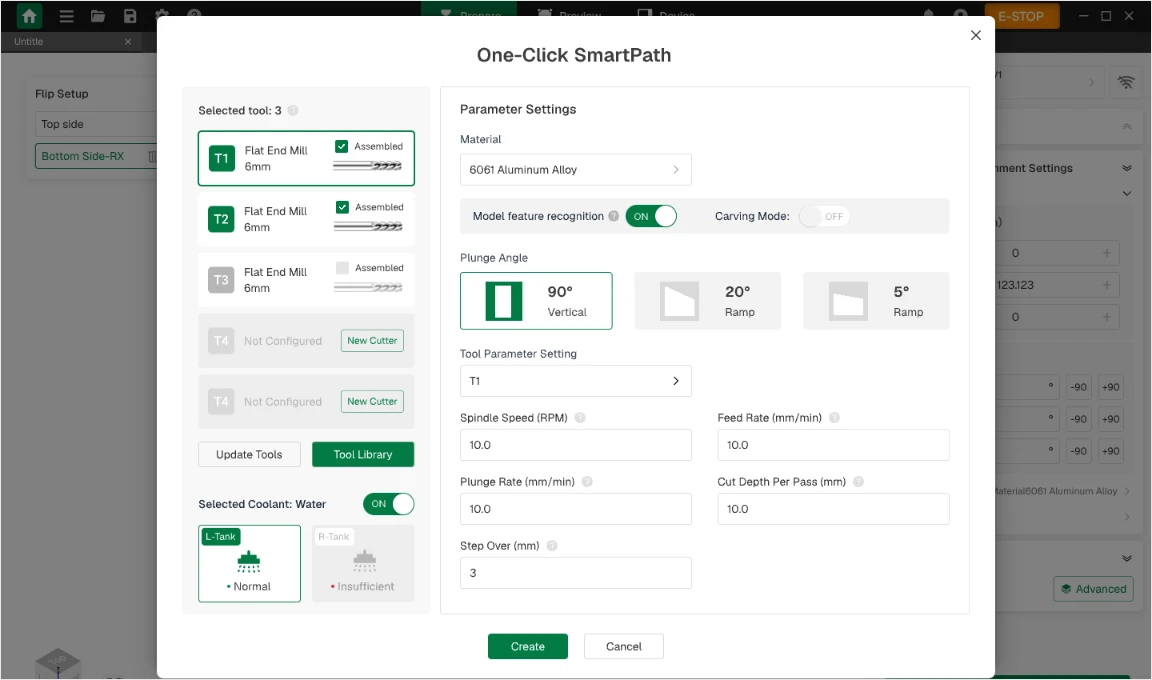
AI-Powered Machining · One-Click Smart Machining & Automatic Parameter Recommendations

AI-Powered Machining · One-Click Smart Machining & Automatic Parameter Recommendations

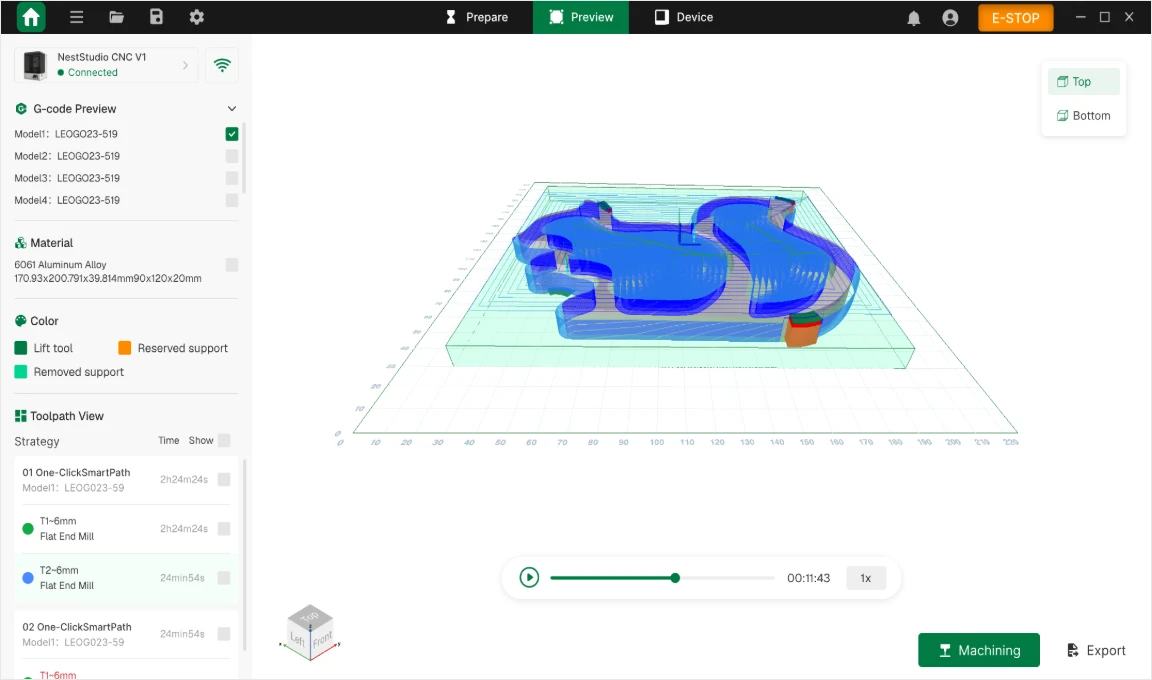
Powered by intelligent machining algorithms, One-Click Smart Machining accurately analyzes model features and generates toolpaths with minimal manual setup. Dynamic toolpath previews make complex machining workflows simple and efficient. Based on model and process analysis, the system intelligently recommends optimized machining parameters, making complex jobs easy to program and execute.
One-Click Data Recognition · Stock QR Code & Tool RFID

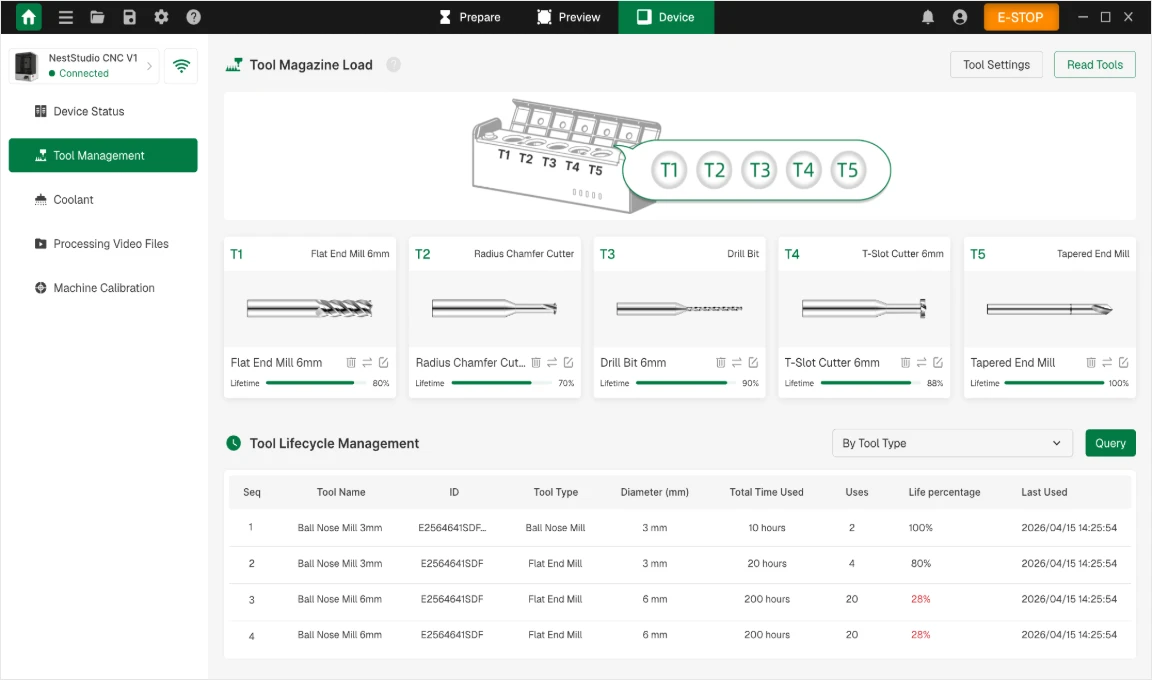
One-Click Data Recognition · Stock QR Code & Tool RFID

Integrated stock QR code and tool RFID recognition connects material and tool data throughout the machining workflow. Scan the stock QR code to automatically import material type and dimensions. Read tool RFID data to automatically capture tool information, track usage, monitor tool life, and receive alerts. This helps prevent expired tools from being used and enables digital tool management throughout the entire tool lifecycle.

Visual-Assisted Machining · Visual Alignment & Laser Outlining

Smart visual alignment eliminates tedious manual setup and quickly determines the workpiece origin with one click, making on-machine operation easier and more intuitive. Laser outlining clearly marks the actual machining area, providing an instant visual reference between the model and the workpiece for a simpler, more efficient workflow.

Multi-Strategy Machining · 3-Axis Multi-Sided & 4-Axis Hybrid Machining

Multi-Strategy Machining · 3-Axis Multi-Sided & 4-Axis Hybrid Machining

Supports 3-axis multi-sided machining and 4-axis hybrid strategies. Complex multi-sided jobs can be programmed with one click, while 4-axis fixed-axis roughing efficiently removes large amounts of material and rotary finishing delivers high-quality surfaces and precise contours. Built-in collision and overcut checks help reduce machine collisions, scrap, and trial-cut costs—balancing machining efficiency with finished-part accuracy while lowering the learning curve.